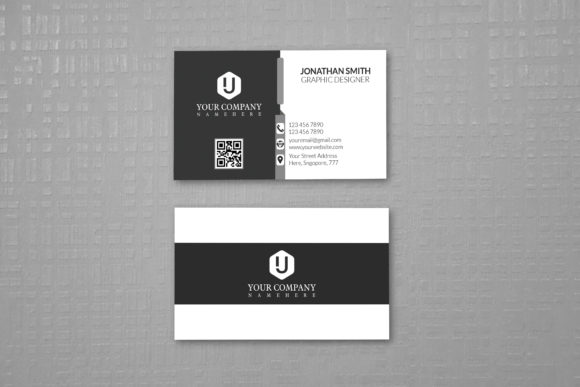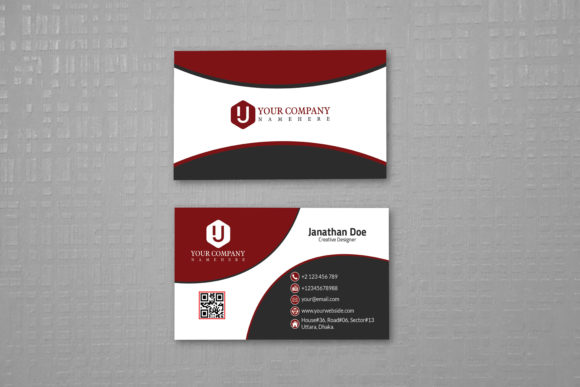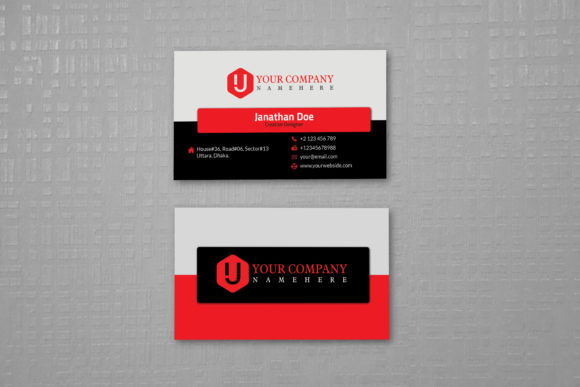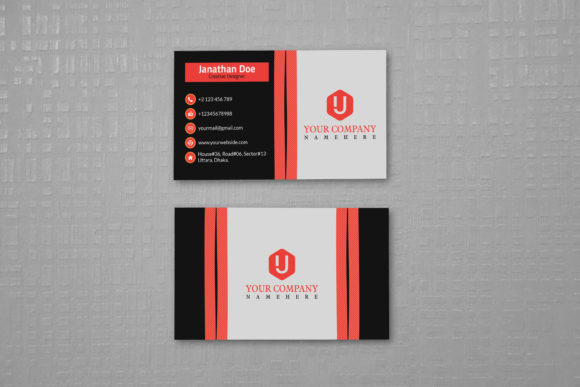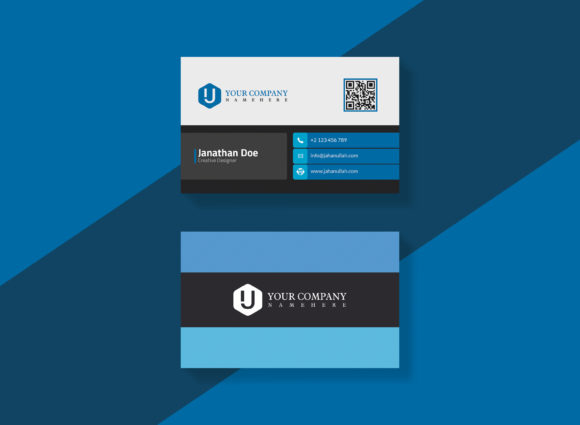
Business Card Template Design: A Practical Workflow for Professional Branding
In the modern professional landscape, a physical business card remains one of the most tangible assets in a personal or corporate portfolio. However, creating a high-quality design from scratch often requires specialized graphic design skills, expensive software subscriptions, and significant time investment. This is where Business Card Template Design becomes an essential tool for professionals, entrepreneurs, and creators who need to maintain brand consistency without getting bogged down in technical details. By leveraging pre-structured files, users can transition rapidly from concept to print-ready output, ensuring that every interaction leaves a lasting, polished impression.
The core value of a well-crafted template lies in its organization and accessibility. A superior Business Card Template Design is not merely a static image; it is a structured workspace within Adobe Photoshop (PSD) where elements are logically grouped. This structure allows users to edit text, swap logos, and adjust colors with precision. Whether you are a freelancer launching a new service, a small business owner expanding their network, or a marketer preparing for a trade show, having a streamlined process for generating these materials is crucial for efficiency.
Understanding the Technical Foundation
Before diving into customization, it is vital to understand the technical specifications that define a print-ready file. Many amateur designs fail because they lack the necessary resolution or color mode settings required by professional printing presses. A robust template addresses these requirements out of the box. For instance, standard business card dimensions are typically 3.5×2 inches or 3.75" x 2.25". However, printing involves a critical step known as "bleed," which prevents white edges from appearing if the cut is slightly off-center.
A high-quality template includes bleed settings of 0.25 inches on all sides. This ensures that when the printer trims the card, the background color or design elements extend fully to the edge without gaps. Furthermore, the file must be set to CMYK Color Mode. Unlike RGB, which is used for screens, CMYK (Cyan, Magenta, Yellow, Key/Black) is the standard for physical printing. Using the wrong color mode can result in dull, muddy colors when the cards are finally produced. Additionally, a resolution of 300 DPI is non-negotiable for sharp text and crisp graphics. Anything lower will appear pixelated and unprofessional upon close inspection.
Streamlining the Customization Process
The primary advantage of using a ready-made template is the speed at which it can be adapted to specific needs. In a typical workflow, a user opens the PSD file and encounters layers that are meticulously organized. Instead of searching through a chaotic list of hundreds of items, the interface groups elements by name, such as "Text," "Logo," "Background," and "Colors." This logical hierarchy significantly reduces the learning curve for those with varying levels of design experience.
Quick and easy to customize templates allow users to focus on content rather than mechanics. Changing the company name, phone number, or email address is as simple as selecting the text layer and typing over the placeholder. Because the text layers are editable, there is no need to redraw typography or worry about font licensing issues if the template uses free fonts. The ability to swap out logos instantly is equally important. Users can drag and drop their own vector or raster logo files into the designated layer, maintaining the original sizing and positioning constraints set by the designer.
Color customization further enhances the versatility of the design. Corporate branding often relies on specific hex codes or Pantone values. With a fully editable color palette, users can update the entire theme of the card in seconds. This flexibility ensures that the final product aligns perfectly with existing marketing materials, websites, and letterheads, reinforcing brand identity across all touchpoints.
Integration into Business Workflows
How does this fit into your daily operations? Business Card Template Design should be viewed as a component of a broader asset management strategy. It fits naturally into several stages of a project lifecycle. During the initial planning phase, when a new business is being launched, having a template ready allows for immediate production of collateral while other systems are being built. It serves as a placeholder for brand identity until final decisions are locked in.
For established businesses, these templates are invaluable during rebranding efforts or seasonal campaigns. Imagine a scenario where a marketing team decides to launch a summer promotion. Instead of commissioning a new design from an agency, they can utilize the existing template to create limited-edition cards with updated contact information or promotional offers. This agility saves budget and time, allowing resources to be allocated elsewhere.
The template also interacts seamlessly with other tools in the creative ecosystem. Once the design is finalized in Photoshop, the file can be exported as a PDF or TIFF for direct submission to online printing services or local print shops. The inclusion of bleed settings means that no additional adjustments are needed before sending the file, reducing the risk of errors caused by manual cropping or resizing. This seamless handoff from digital design to physical production is a key factor in maintaining a smooth workflow.
Ensuring Quality Control and Consistency
Consistency is the hallmark of professional branding. When managing multiple projects or collaborating with a team, it is easy for individuals to deviate from brand guidelines. A standardized Business Card Template Design acts as a guardrail, ensuring that every card produced meets the same high standards. The organized layers prevent accidental deletion of critical elements like QR codes or social media handles. By locking certain layers or using smart objects, the template protects the structural integrity of the design while allowing freedom in content editing.
Quality control is further enhanced by the use of high-resolution assets. The 300 DPI resolution ensures that even small details, such as fine lines or subtle gradients, remain sharp. This attention to detail reflects positively on the sender's professionalism. A blurry or poorly printed card can undermine trust, whereas a crisp, vibrant card signals competence and attention to detail. The CMYK color mode setting guarantees that the colors seen on the screen are as close as possible to the final printed product, minimizing surprises during the manufacturing process.
Practical Implementation Tips
To get the most out of your Business Card Template Design, consider the following practical steps for implementation. First, always work on a copy of the original file. Never edit the master template directly, as this increases the risk of corruption or loss of formatting. Save your customized versions with clear naming conventions, such as "Card_Name_Version_Date," to keep your digital assets organized.
Secondly, take advantage of the included font resources. Many templates come with instructions on how to find and install free popular fonts. If the template uses a specific font family, ensure it is installed on your system before opening the file to avoid substitution errors. If the preview shows images or mock-ups, remember that these are for illustration purposes only. You will need to replace these placeholders with your own photography or illustrations to complete the look.
Finally, perform a thorough proofread before sending the file to print. Check for spelling errors, verify that phone numbers and email addresses are correct, and ensure that the logo is high-resolution. It is also wise to order a single test print to check color accuracy and paper quality before committing to a large batch. This small investment in testing can save significant costs and reputational damage associated with mass-produced errors.
Maximizing Long-Term Value
The utility of a Business Card Template Design extends beyond a single use. Because the file is stored digitally, it can be reused indefinitely. As contact information changes, such as a move to a new office or a change in job title, the card can be updated instantly without starting from scratch. This longevity makes it a cost-effective solution for long-term branding strategies. For freelancers and consultants who may pivot their services over time, the ability to quickly adapt the card to reflect new specializations is a distinct competitive advantage.
Furthermore, the modular nature of these templates encourages experimentation. Users can try different layouts, color schemes, or typographic styles by duplicating layers or adjusting opacity. This flexibility fosters creativity while maintaining the safety net of a proven design structure. Whether you are a solo entrepreneur or part of a larger marketing department, integrating a well-organized, print-ready template into your workflow empowers you to produce professional-grade materials efficiently.
In conclusion, a high-quality business card template is more than just a design file; it is a strategic asset that bridges the gap between creative vision and physical reality. By prioritizing organization, technical accuracy, and ease of use, these templates enable professionals to focus on what truly matters: building relationships and growing their business. With features like 0.25-inch bleeds, CMYK color modes, and 300 DPI resolution, the path from a digital concept to a tangible networking tool becomes clear, fast, and reliable.